Azure Change Tracking and Inventory: Auditing, Monitoring, and Asset Visibility
This post explores Azure Change Tracking and Inventory, a powerful feature designed to provide deep auditing, configuration monitoring, and asset visibility across your servers, spanning Azure, on-premises, and other cloud environments.
Overview: What is Change Tracking and Inventory?
Azure Change Tracking and Inventory is a comprehensive solution that keeps a detailed record of changes to your virtual machines and their configurations. Its primary goal is to ensure compliance, security, and maintain a complete inventory of all installed software and configuration data.
Core Capabilities:
- Auditing: Tracking file modifications and registry updates.
- Inventory: Maintaining a full inventory of OS details and installed software.
- Monitoring: Detecting changes in services and daemons.
⚙️ How It Works: Data Collection Architecture
The system operates by utilizing the Azure Monitor Agent (AMA) and ChangeTracking VM Extensions. These components work together to collect detailed change and inventory data through defined Data Collection Rules, storing all the resulting metadata into Log Analytics workspaces.
Data Flow Visualization
The architecture follows this pattern:
 Virtual Machines → Azure Monitor Agent → Data Collection Rules → Log Analytics
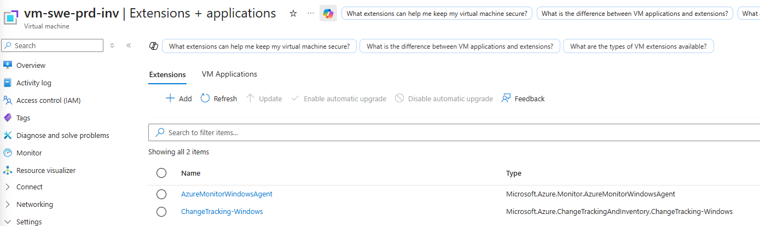 Agents collect configuration and change data for centralized analysis
✅ Core Capabilities Breakdown
The feature offers granular insight into system health and configuration:
In-Guest Changes Monitoring
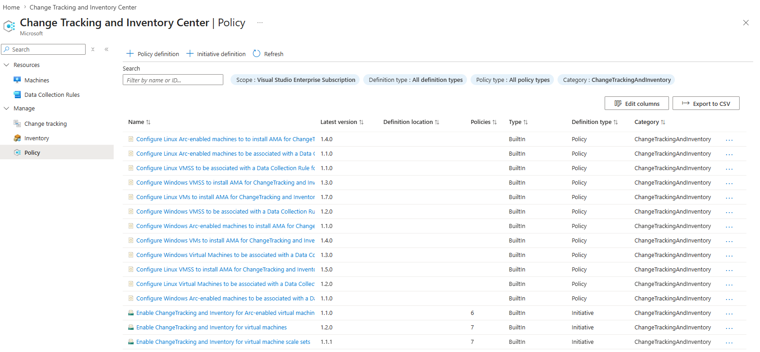 Monitor critical system changes in real-time
Change Tracking monitors critical activities such as:
- File modifications (creation, deletion, content changes)
- Registry updates (Windows systems)
- Software installations and removals
- Service and daemon changes (start, stop, configuration)
Asset Inventory Management
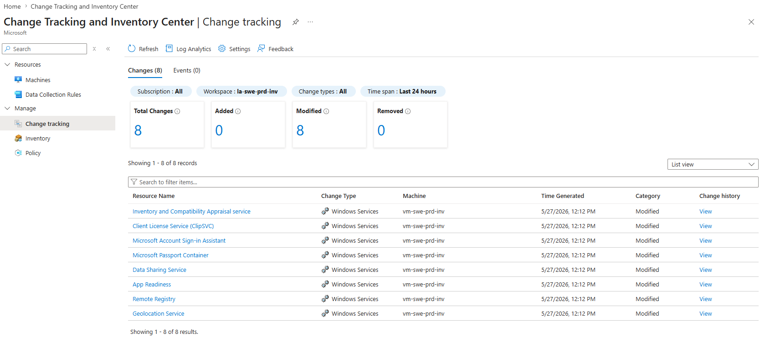 Comprehensive asset and configuration visibility
It maintains an accurate record of:
- Operating system details and patch levels
- Installed software and versions
- Configuration data for compliance checks
- Service status and configurations
🚀 Deployment Methods
Change Tracking and Inventory can be enabled at different scales depending on your environment:
Single Azure VM Deployment
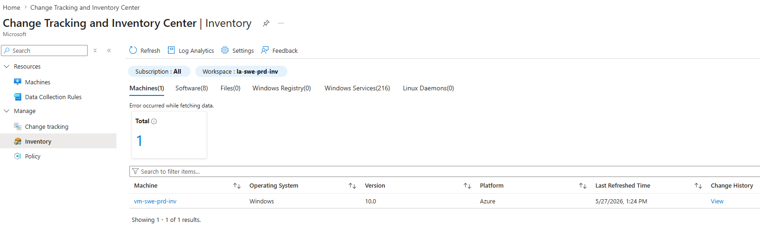 Quick enablement for individual virtual machines
You can enable tracking directly from the VM blade:
- Navigate to your VM in the Azure Portal
- Select “Change Tracking and Inventory” from the left menu
- Click “Enable” and configure your Log Analytics workspace
At-Scale Enterprise Deployment
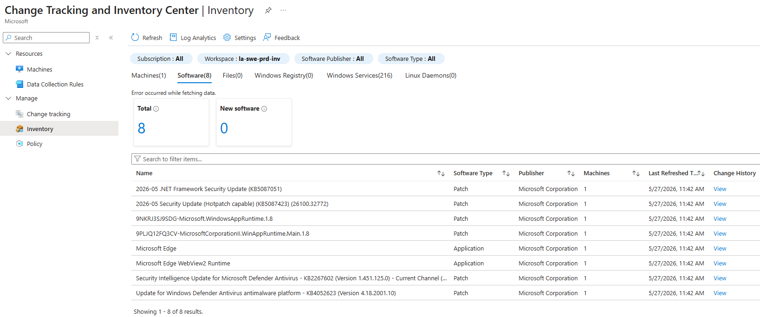 Policy-driven deployment across multiple resources
For large deployments, tracking can be enabled across multiple VMs using Azure Policy for streamlined, scalable onboarding:
- Automatic enablement for all VMs matching policy criteria
- Consistent Log Analytics workspace assignment
- Centralized compliance reporting
- Reduced manual configuration overhead
Advanced Configuration Options
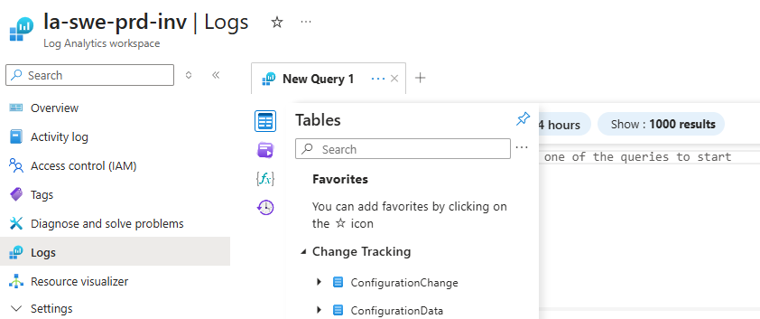 Granular control over what to track
Fine-tune your tracking rules:
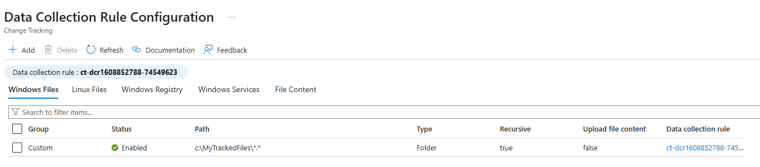
- Select specific file paths for monitoring
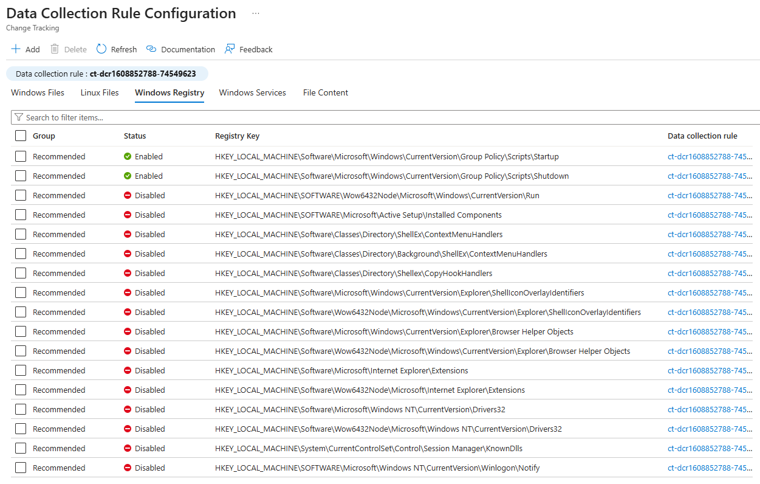
- Configure registry keys (Windows)
- Define service/daemon tracking parameters
- Set exclusion rules for temporary files
💾 Data Storage and Log Analytics Integration
All collected data flows into Log Analytics workspaces for analysis and reporting:
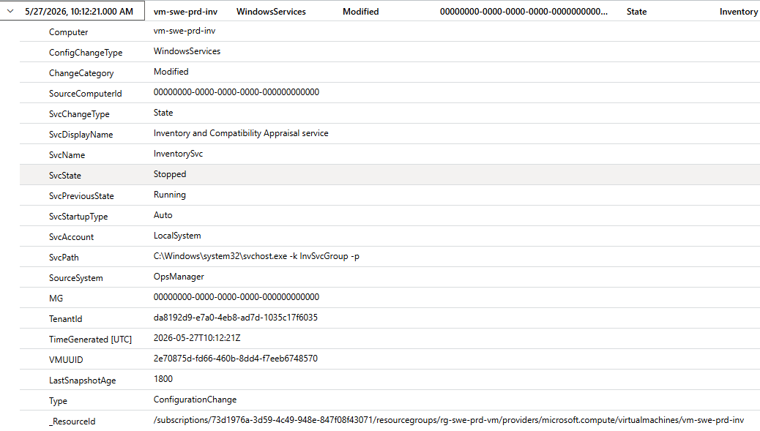 Centralized data storage and querying
ConfigurationChange Table: Stores metadata about all detected changes
- Timestamp of change
- Type of change (file, registry, service, software)
- What changed (path, key, service name)
- Computer and user context
ConfigurationData Table: Maintains current inventory state
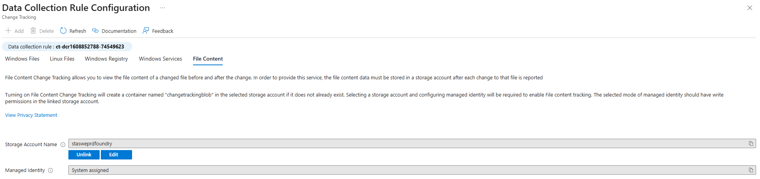
- Current file versions and checksums
- Installed software inventory
- Registry key values
- Service configurations
📊 Reporting and Compliance
Once data is in Log Analytics, you gain powerful querying and compliance capabilities:
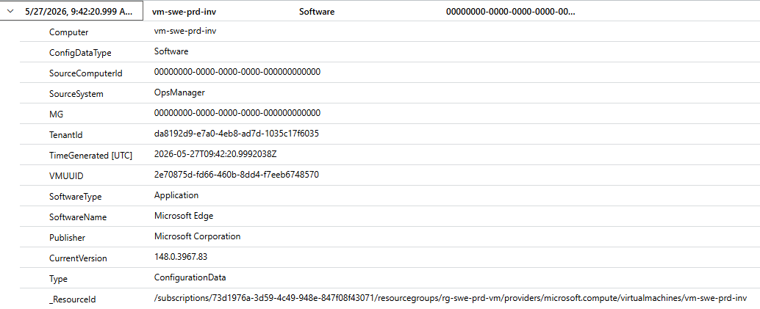 Real-time compliance and change dashboards
Create dashboards and alerts for:
- Unauthorized file changes
- Unauthorized software installations
- Configuration drift detection
- Compliance gap reporting
💰 Cost Considerations
Azure Change Tracking and Inventory generates data stored in your Log Analytics workspace. Costs depend on:
 Plan and budget your monitoring costs
- Data ingestion rate (per GB ingested daily)
- Data retention (how long you keep logs, 30-730 days)
- Number of managed machines (agents and collection rules)
- Log Analytics pricing tier (Pay-as-you-go or Commitment tiers)
Example Scenarios:
- Small environment (5 VMs): ~$50-100/month
- Medium environment (25 VMs): ~$200-400/month
- Large environment (100+ VMs): Custom pricing
You can estimate costs using the Azure Pricing Calculator.
⚡ Performance Impact
Change Tracking and Inventory is designed for minimal performance impact:
 Lightweight agent footprint
- CPU Usage: < 1% average
- Memory Footprint: 50-150 MB per VM
- Network Bandwidth: Minimal (batched uploads every 5-15 minutes)
- Disk I/O: Negligible (non-intrusive monitoring)
🔒 Security and Compliance
Change Tracking helps meet regulatory requirements:
 Support for major compliance standards
Compliance mappings:
- SOC 2 Type II: Configuration monitoring and change tracking
- HIPAA: Audit logs for healthcare systems
- PCI-DSS: Configuration change documentation
- SOX: IT change management controls
- GDPR: Data protection and access audit trails
📚 Getting Started
Prerequisites
- Azure subscription (any tier)
- Virtual machine (Azure, on-premises, or other clouds)
- Log Analytics workspace
- Azure Monitor Agent installed
Quick Start Guide
- Create or select a Log Analytics workspace
az monitor log-analytics workspace create \ --resource-group myRG \ --workspace-name myWorkspace - Enable on your first VM
- Portal: VM → Change Tracking and Inventory → Enable
- CLI:
az automation account deployment create ...
- Configure Data Collection Rules (if using AMA)
- Define which files, registries, or services to track
- Set exclusion rules for system/temporary files
- Start monitoring changes
- View change history in the Portal
- Create custom Log Analytics queries
- Set up alerts and dashboards
🔗 Resources for Deeper Dive
For detailed implementation guides and configuration specifics, consult the official Microsoft Learn documentation:
 Comprehensive documentation and learning resources
-
Change Tracking Overview: [Azure Change Tracking and Inventory documentation Microsoft Learn](https://learn.microsoft.com/en-us/azure/automation/change-tracking/overview) -
Data Collection Rule Setup: [Create a Data Collection Rule for Azure Change Tracking and Inventory Microsoft Learn](https://learn.microsoft.com/en-us/azure/azure-monitor/agents/data-collection-rule-overview) -
At-Scale Enablement via Azure Policy: [Enable Change Tracking and Inventory at Scale for Azure VMs by Using Azure Policy Microsoft Learn](https://learn.microsoft.com/en-us/azure/automation/change-tracking/enable-at-scale-policy) -
Troubleshooting Guide: [Troubleshoot Change Tracking and Inventory Microsoft Learn](https://learn.microsoft.com/en-us/azure/automation/change-tracking/troubleshoot)
Summary
Azure Change Tracking and Inventory is a critical tool for organizations that need to maintain compliance, ensure security posture, and have visibility into their infrastructure changes across hybrid and multi-cloud environments. By leveraging Azure Monitor Agent and Data Collection Rules, you can deploy this solution at scale with minimal overhead while gaining comprehensive audit trails and compliance reporting.
Key Takeaways:
- Real-time change tracking across all OS types
- Scalable deployment with Azure Policy
- Comprehensive compliance and audit capabilities
- Minimal performance impact
- Integration with Log Analytics for advanced querying
This post was enriched with visualizations extracted from Azure Change Tracking and Inventory research documentation.